Beyond the basics.
Purpose-built
intelligence.
Specialised Modules extends the platform with focused, high-powered capability — a safety timer that watches over lone travellers, facial and vehicle recognition, an AI voice assistant, and a full WhatsApp community intelligence pipeline. Each one activates from preprogrammed buttons on the citizen and responder apps.
Specialised Modules at a glance
Five focused tools, searchable by category, each one a self-contained capability that plugs into the wider platform.
Specialised Modules is the platform's extension layer — capabilities that go beyond core event, responder, and communications management into focused safety, investigation, surveillance, and AI-assisted tooling.
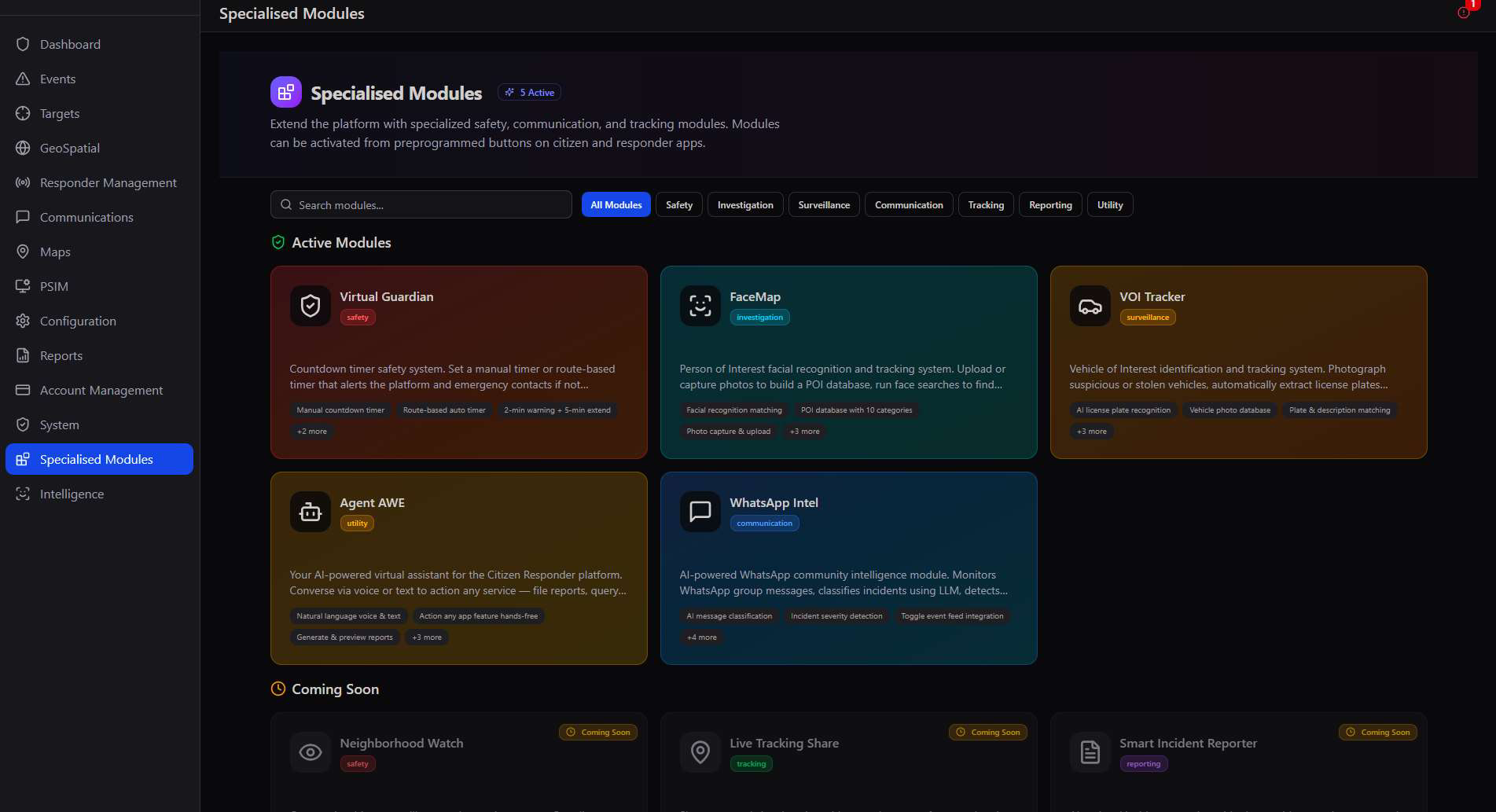
Buttons, not menus. Every specialised module is designed to be triggered from a preprogrammed button on the Citizen App or Responder App home screen — configured in Configuration → Extra Buttons — so field use is a single tap, not a navigation exercise.
Virtual Guardian
A countdown timer that watches over anyone travelling alone — and alerts the platform and emergency contacts if it isn't cancelled in time.
Virtual Guardian is a manual or route-based safety timer: a citizen starts it before a walk, a lift home, or a meeting with a stranger, and if it expires without being cancelled, the platform and their personal emergency contacts are alerted automatically.
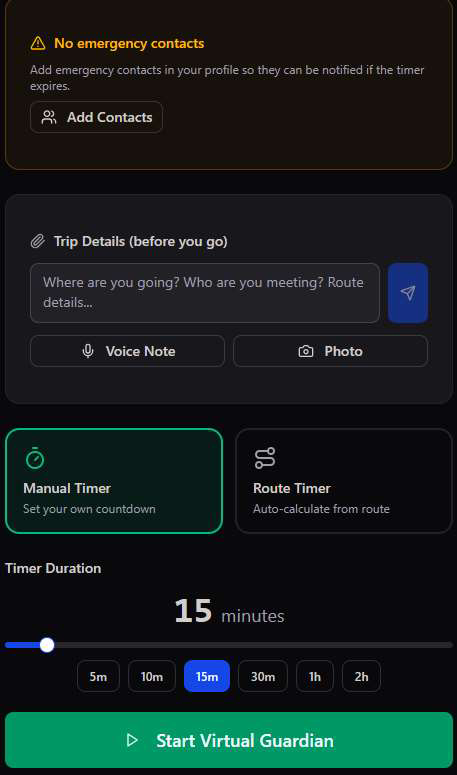
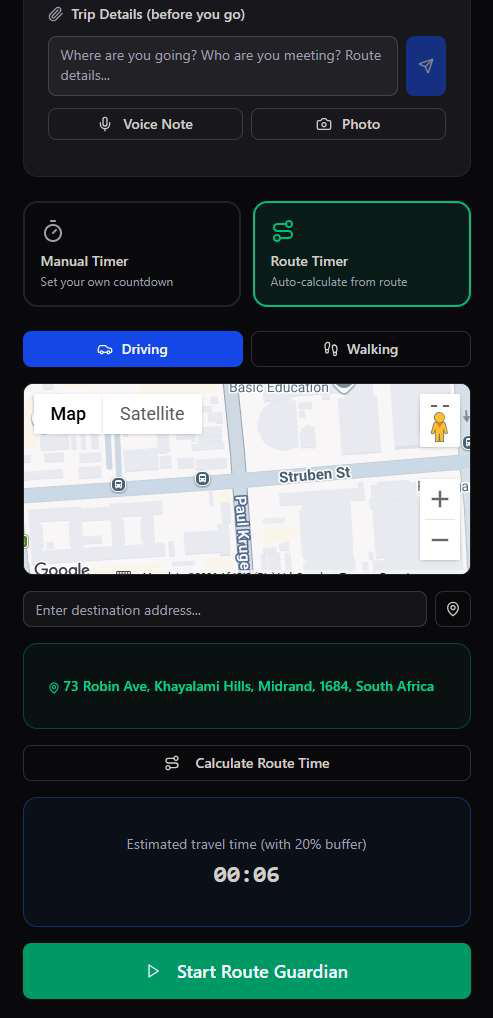
- Manual Timer — set your own countdown from 5 minutes to 2 hours for any situation that needs a safety net.
- Route Timer — set a destination and travel mode; the app calculates estimated travel time automatically, with a 20% buffer built in.
- Trip Details — log where you're going, who you're meeting, plus an optional voice note or photo, all attached to the guardian session as evidence.
- Emergency contacts required — the app warns up front if no emergency contacts are configured, since they're who gets notified if the timer expires.
Silent by design, loud when it matters. Virtual Guardian runs quietly in the background during the trip — but if it isn't cancelled before the countdown hits zero, it escalates immediately to both the platform's control room and the citizen's personal emergency contacts.
FaceMap
A person-of-interest facial recognition database — build it once, then scan any face against it in the field.
FaceMap lets responders and admins build a database of persons of interest — missing persons, wanted individuals, persons flagged for questioning — and run instant face searches against it from a phone camera.
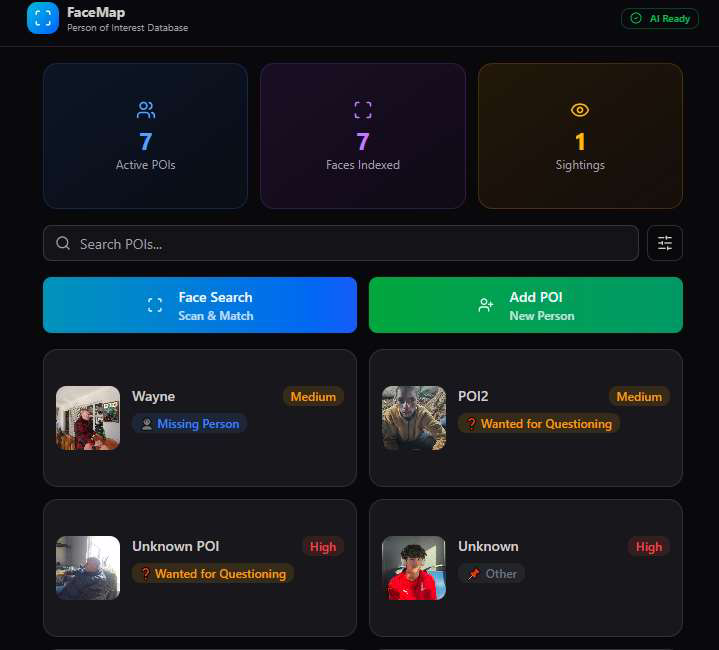
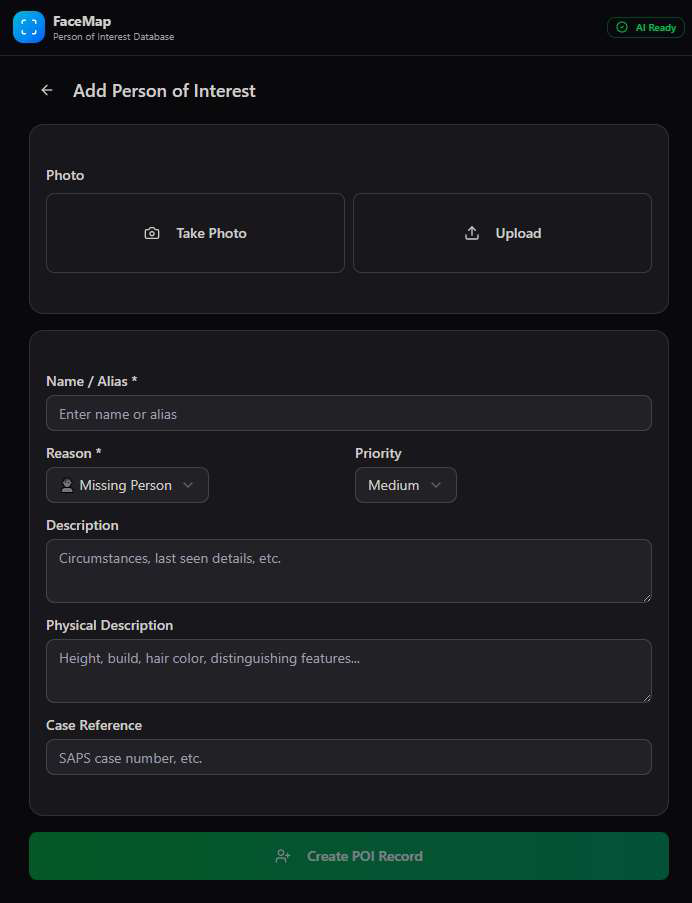
10 POI categories, one searchable database. Every person added to FaceMap is indexed for facial recognition matching immediately — a responder who spots someone matching a description can confirm identity in seconds rather than radioing a description back to base.
VOI Tracker
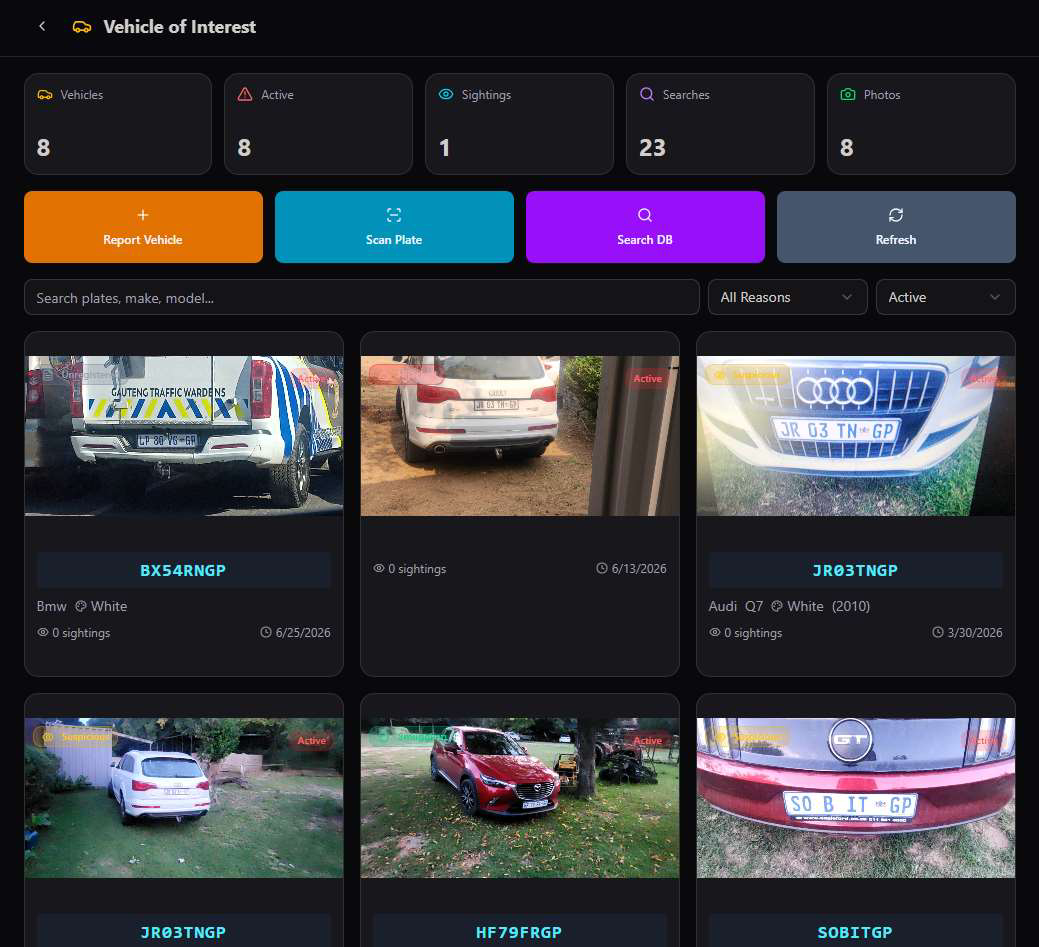
Vehicle-of-interest identification and tracking — photograph a suspicious vehicle once, and the plate is recognised everywhere after.
VOI Tracker automatically extracts license plates from photos using AI, building a database of suspicious or stolen vehicles that can be searched by plate, make, model, or a scanned photo from the field.
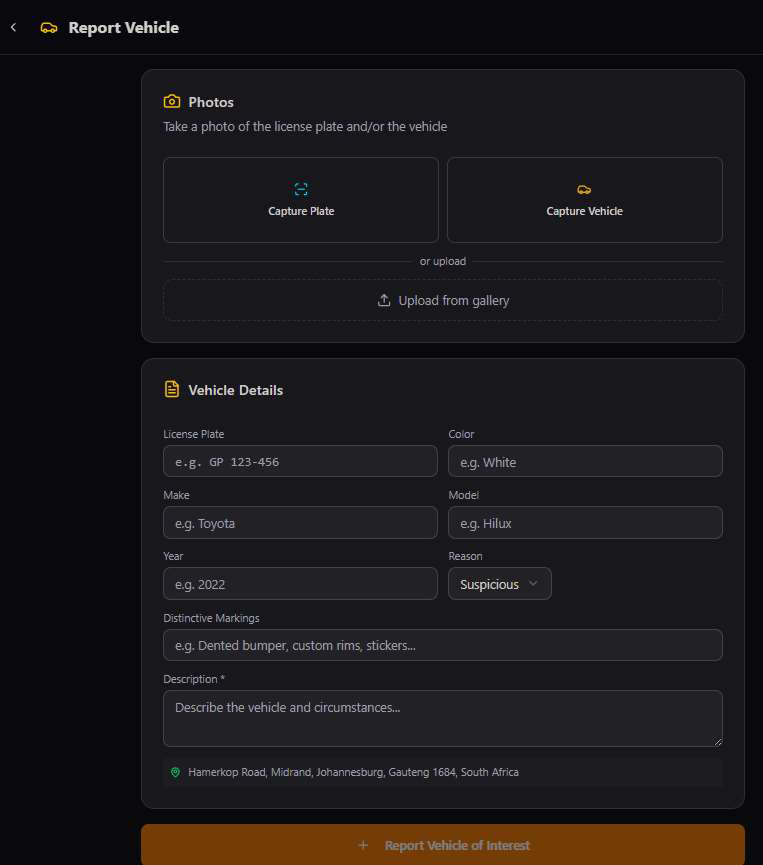
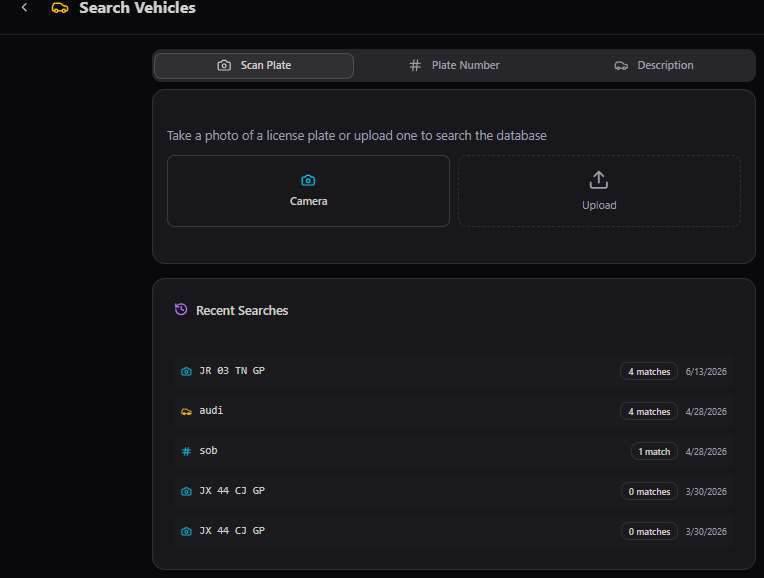
AI does the typing. Capture Plate uses automatic license plate recognition to extract the registration number from a photo — no manual entry required in the field, even from a moving vehicle or a quick glance through a fence.
Agent AWE
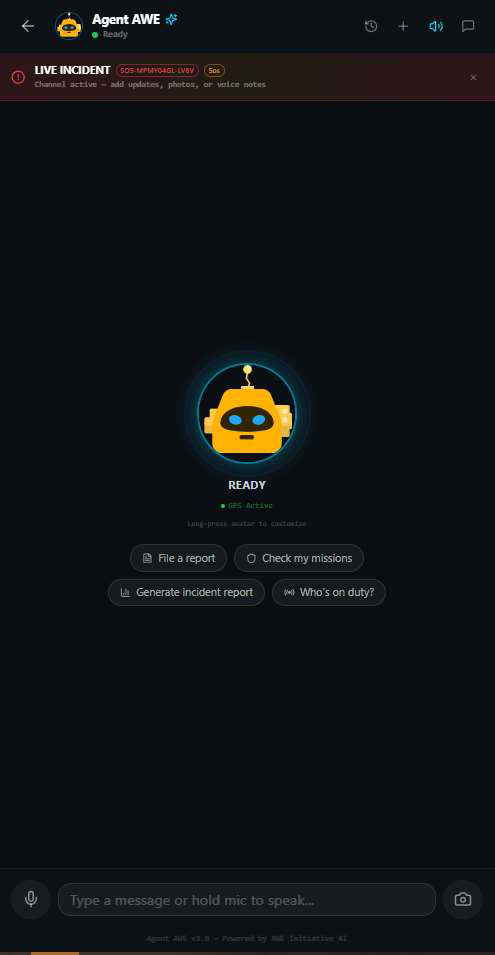
A voice-and-text AI assistant that can action any platform feature hands-free — file a report, check missions, or generate an incident summary, just by asking.
Agent AWE is a conversational AI layer over the entire platform — responders and admins can talk to it naturally, by voice or text, and it files reports, checks assignment status, and generates on-demand reports without touching a single menu.
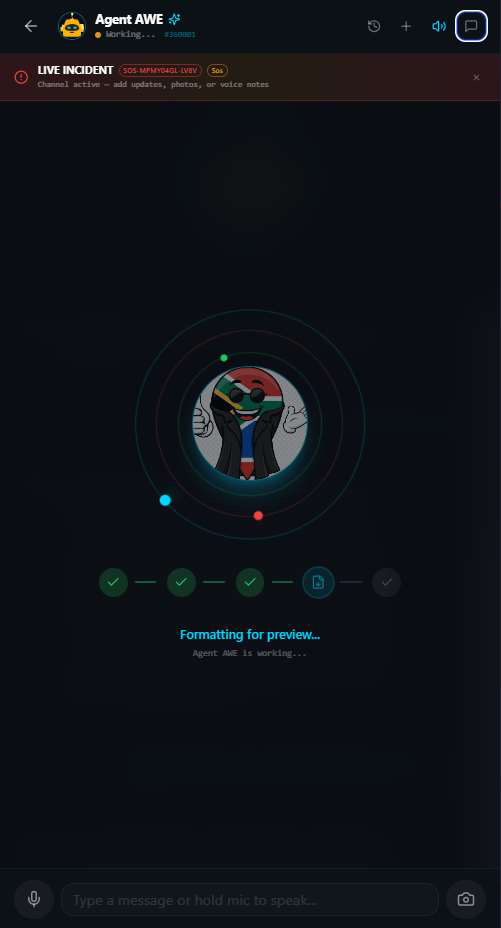
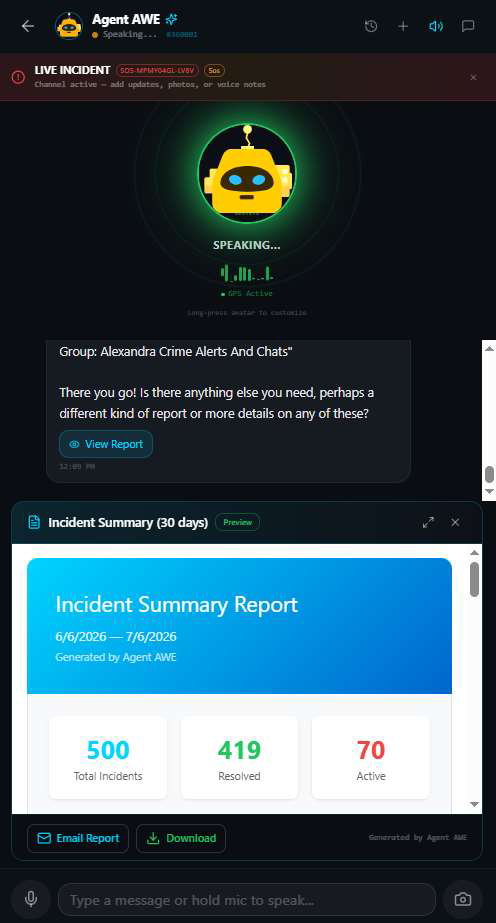
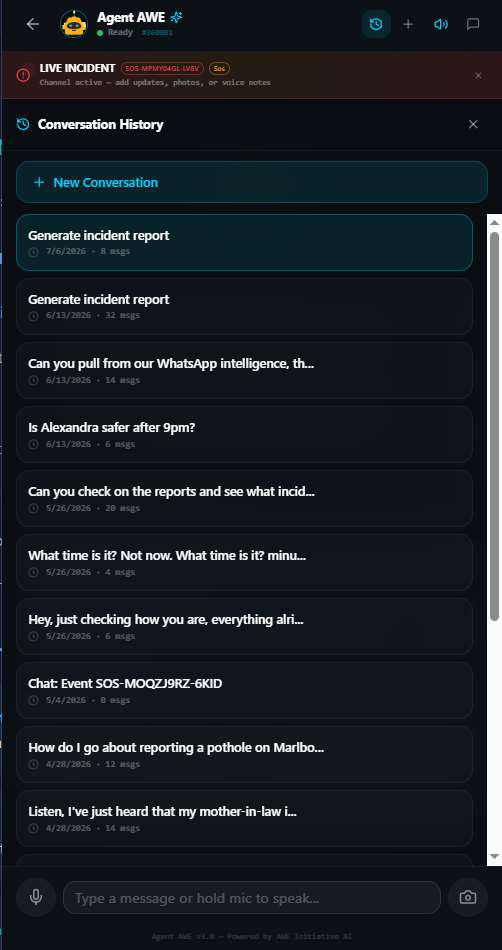
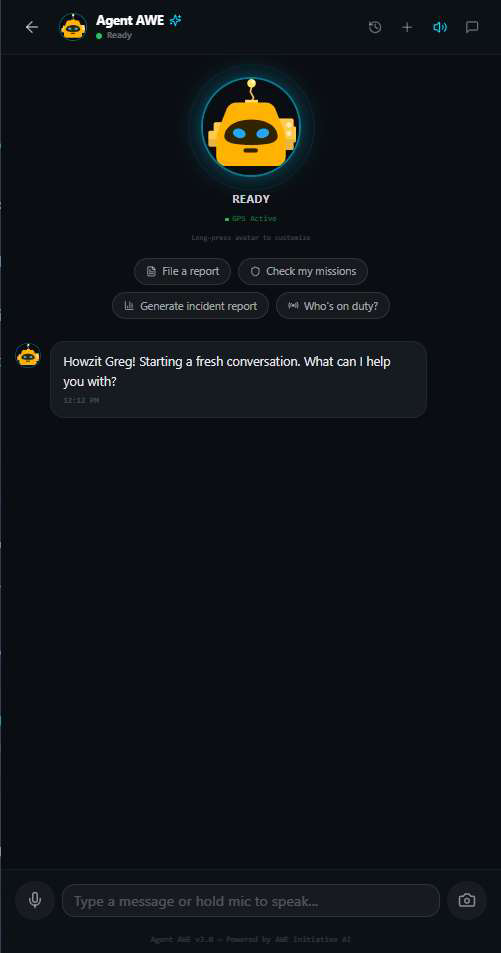
Natural language, real actions. Questions like "Is Alexandra safer after 9pm?" or "Can you pull from our WhatsApp intelligence?" aren't just answered conversationally — Agent AWE queries the platform's real data (events, reports, WhatsApp Intel) to generate an actual, grounded answer.
WhatsApp Intel Dashboard
AI-powered monitoring of community WhatsApp groups — classifying, mapping, and auditing every message that comes through.
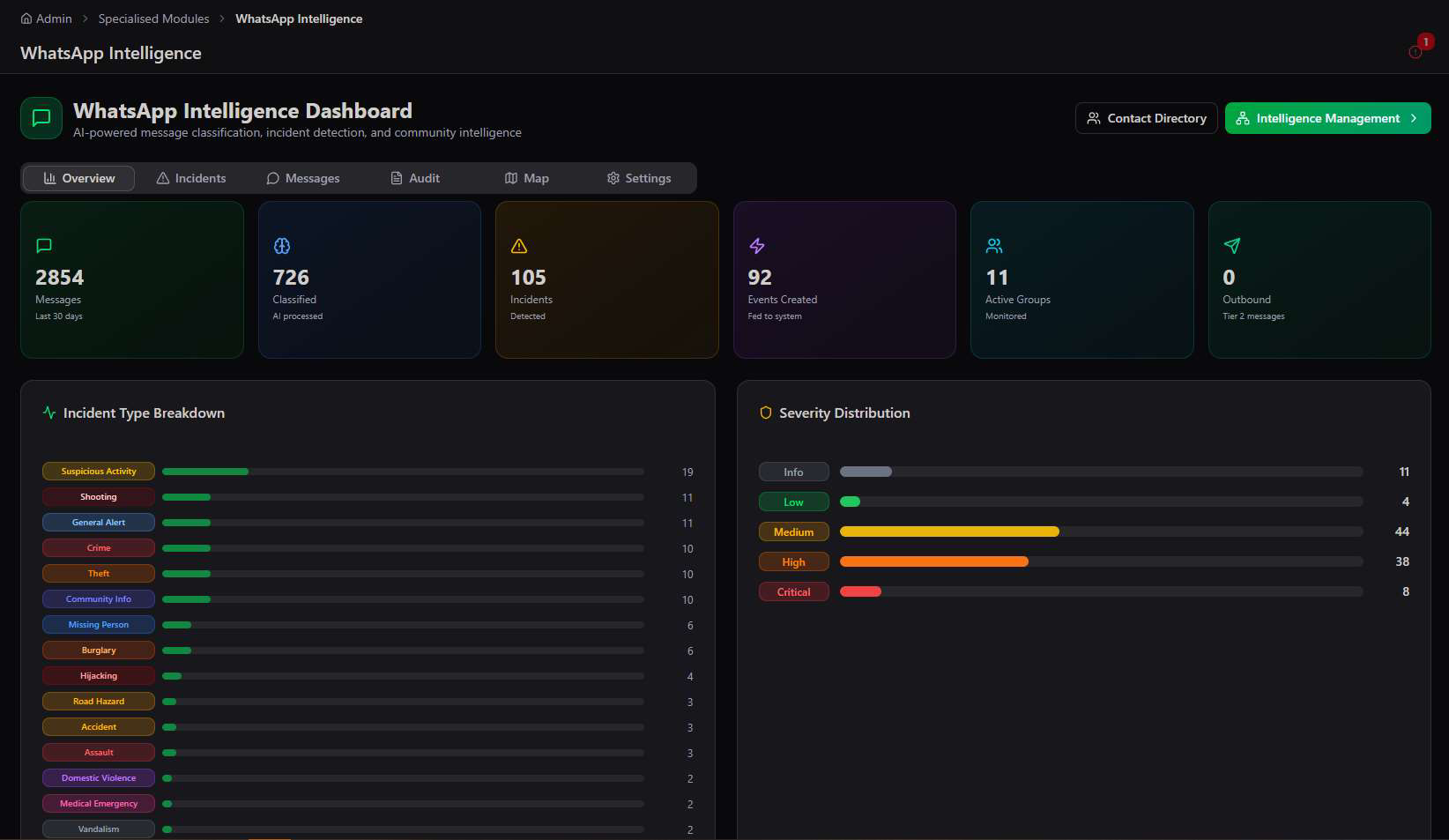
The WhatsApp Intelligence Dashboard is the day-to-day operating view for community WhatsApp monitoring — six tabs covering Overview, Incidents, Messages, Audit, Map, and Settings, all reading from the same classified message stream.
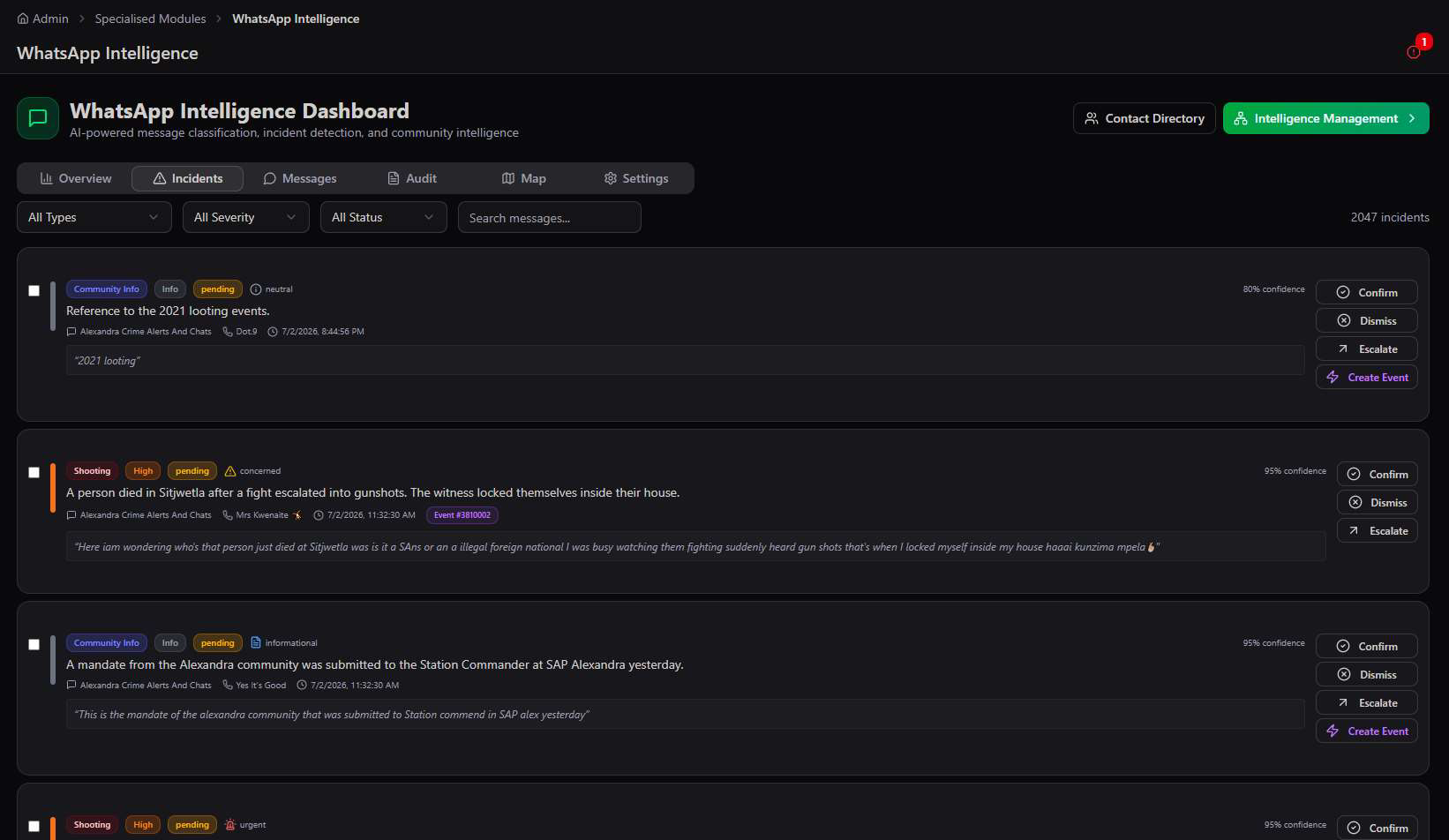
Incidents — confirm, dismiss, or escalate
Every AI-classified incident lands here with a confidence score, sentiment tag, and one-click actions — Confirm to validate it, Dismiss if it's a false positive, Escalate for urgent review, or Create Event to push it straight into the main Events system.
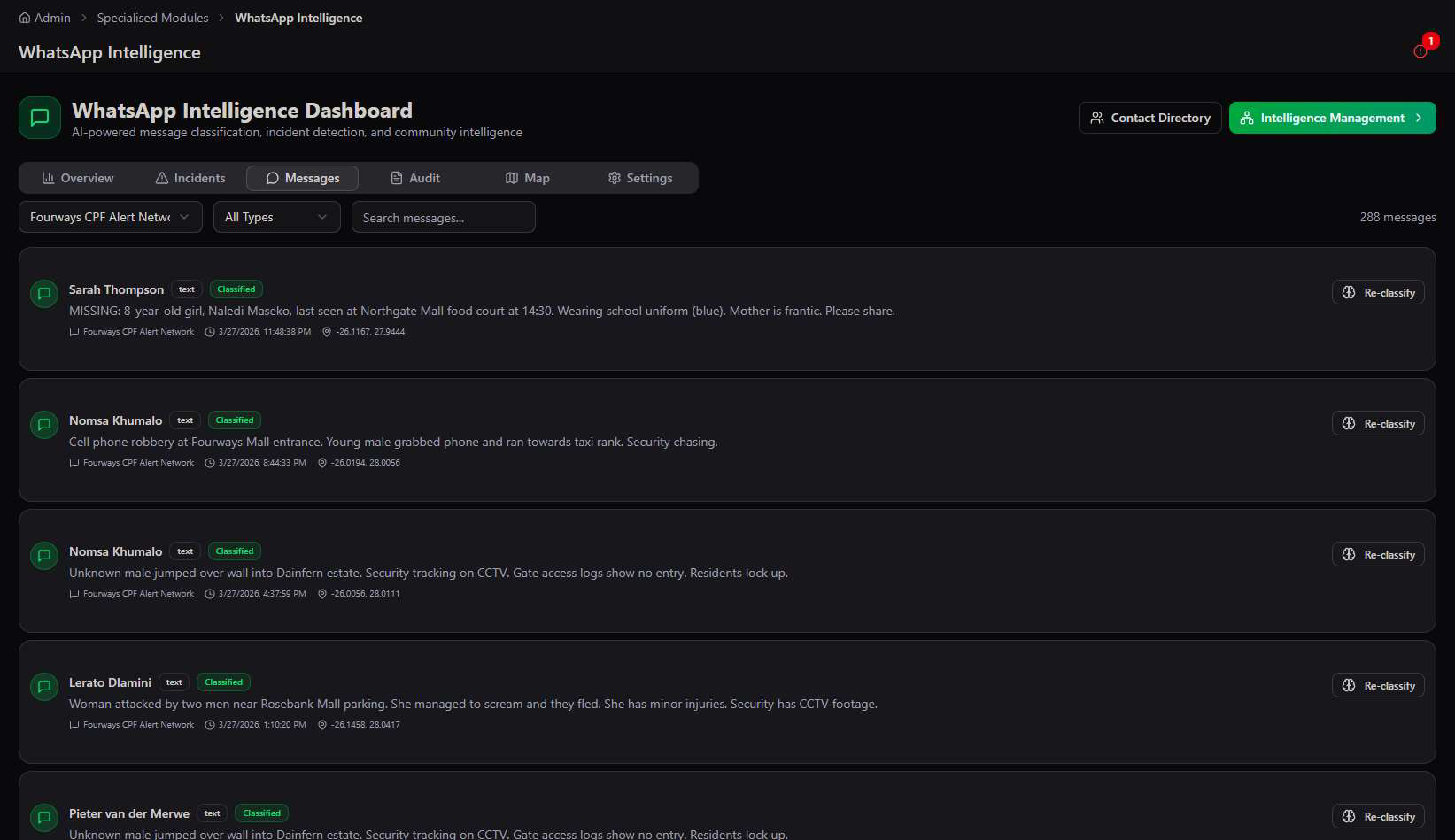
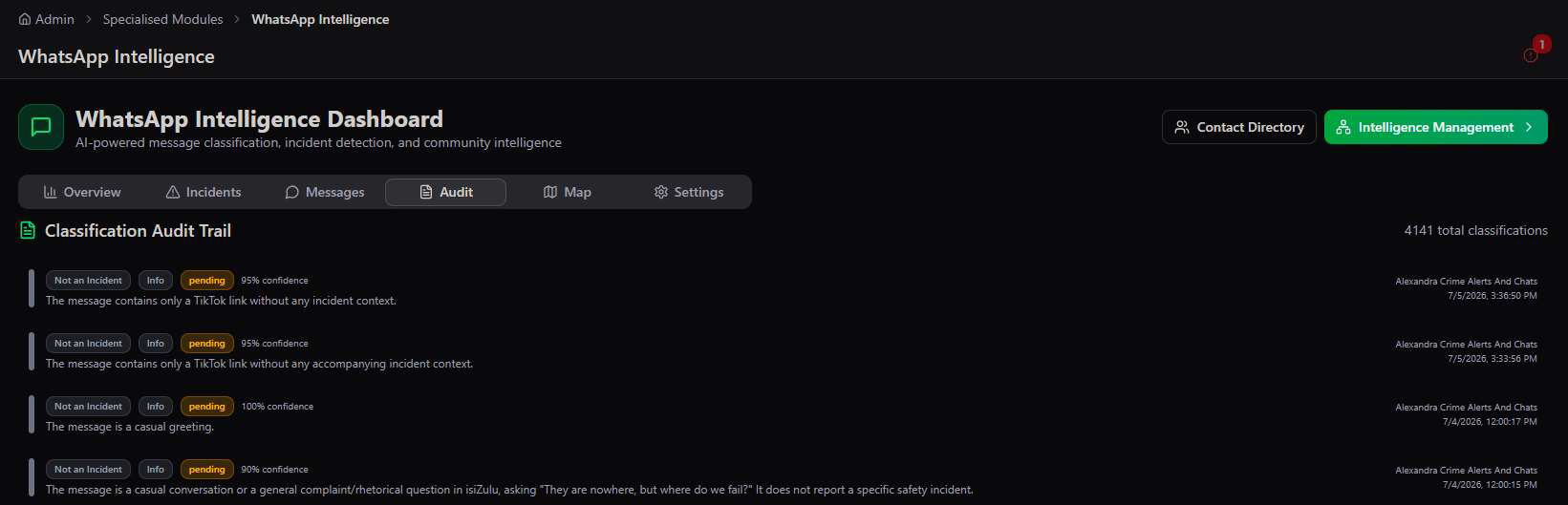
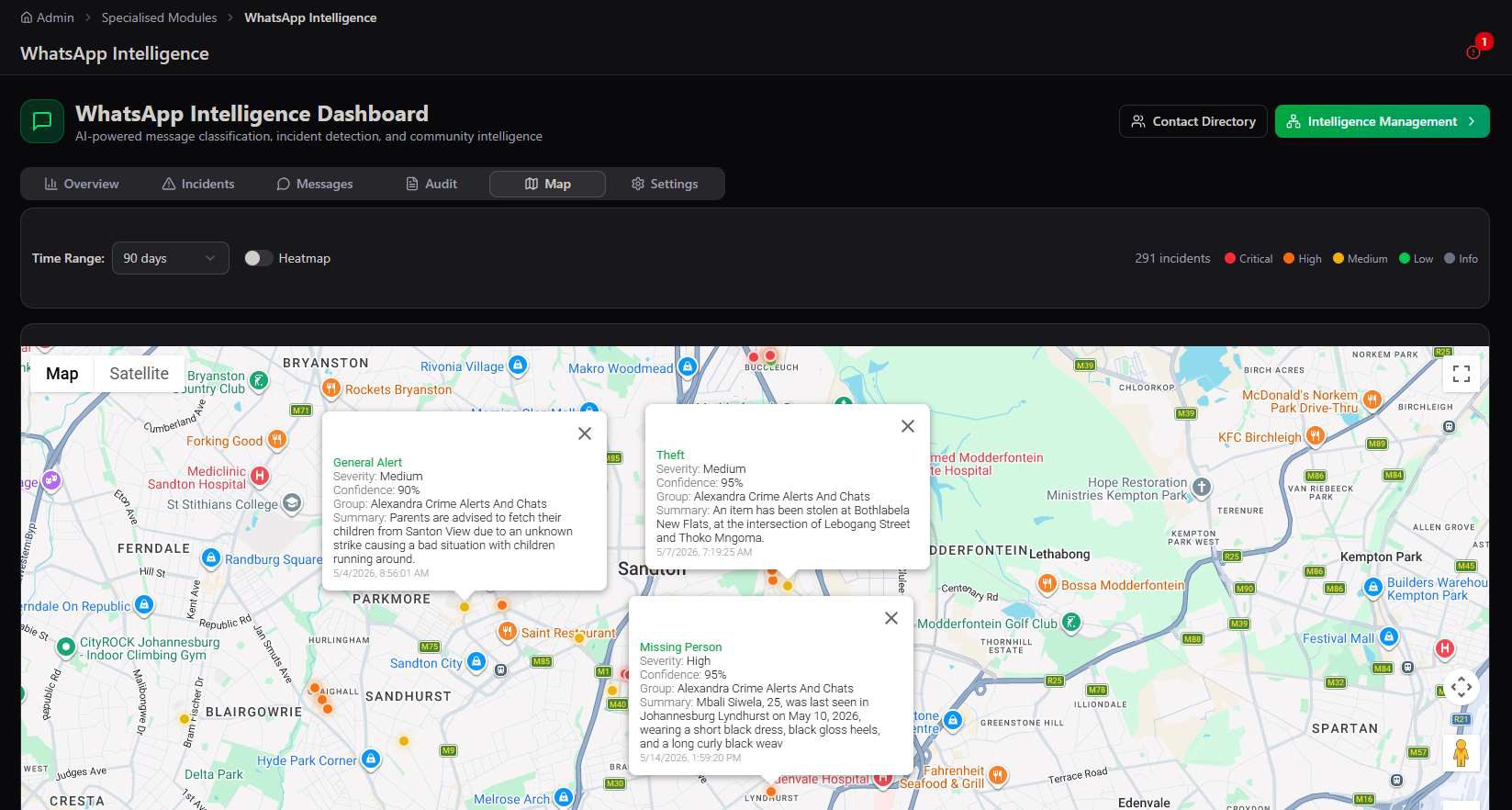
Full transparency by design. The Audit tab exists specifically so any classification decision can be reviewed and explained — critical for a system that's making judgment calls about what counts as a safety incident from informal community chat.
Intelligence Management Console
The engine room behind WhatsApp Intel — monitoring methods, keyword alerts, live feeds, and the full event-creation pipeline.
Intelligence Management is a deeper, admin-only configuration console reached from the WhatsApp Intelligence Dashboard — 8 tabs controlling exactly how messages are captured, classified, and turned into platform events.
Methods — three ways to capture WhatsApp intelligence
The platform supports three independent monitoring methods, each with different risk and setup profiles, and all three can run simultaneously feeding the same unified pipeline.
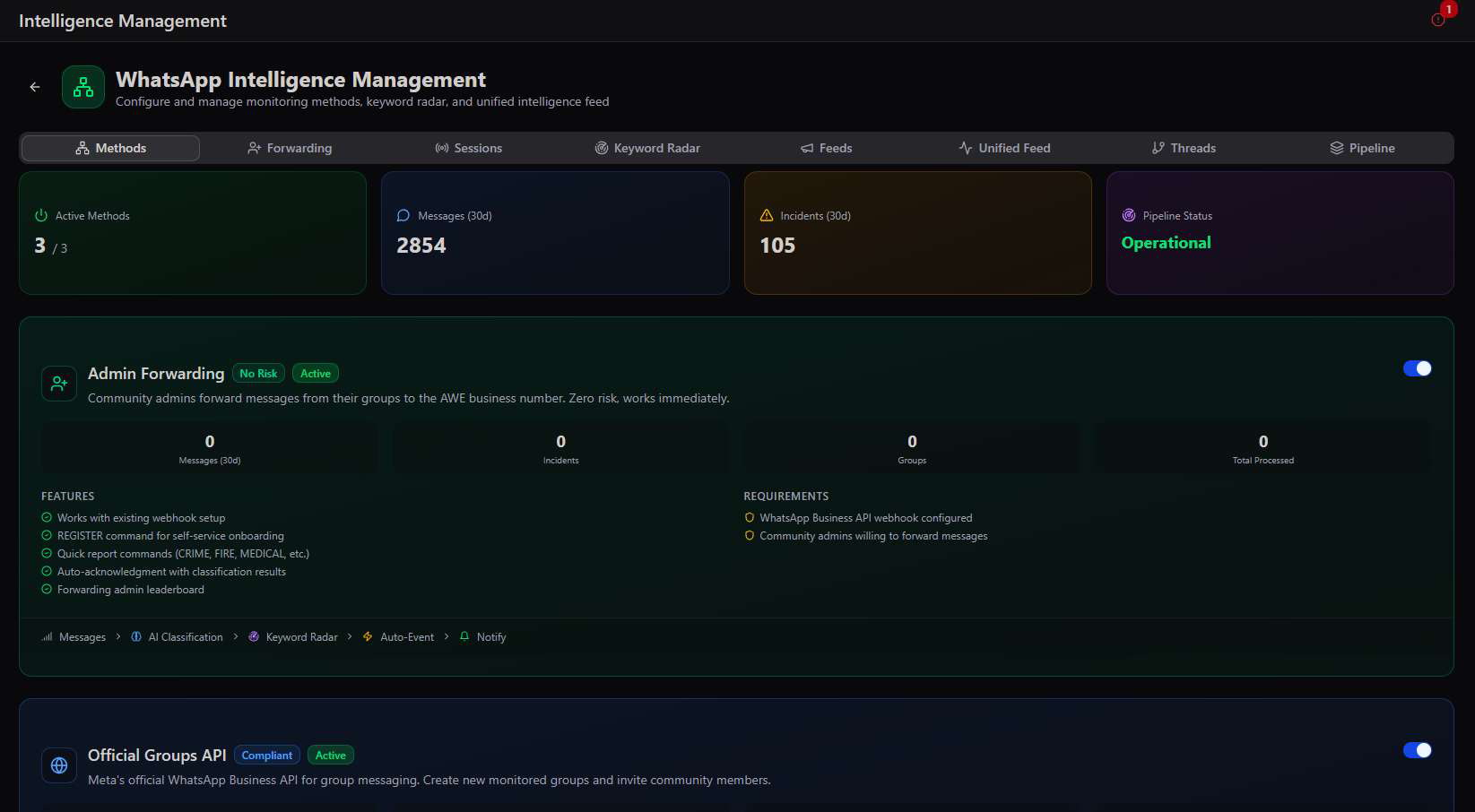
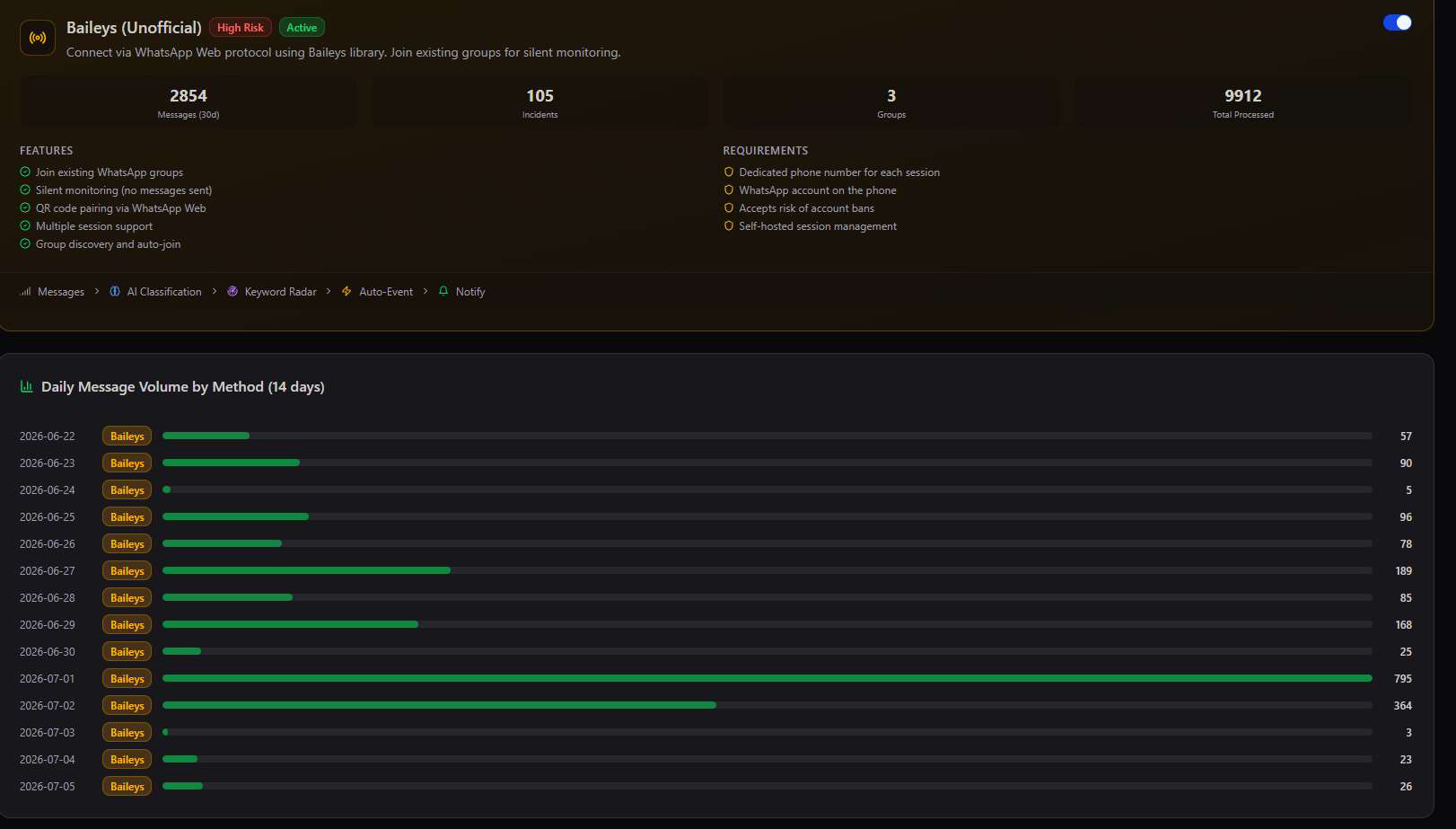
Baileys carries real risk. The unofficial WhatsApp Web protocol is not supported by Meta and can result in account bans — the platform requires a dedicated phone number (never a primary number) and explicit acceptance of that risk before enabling it.
Forwarding & Sessions
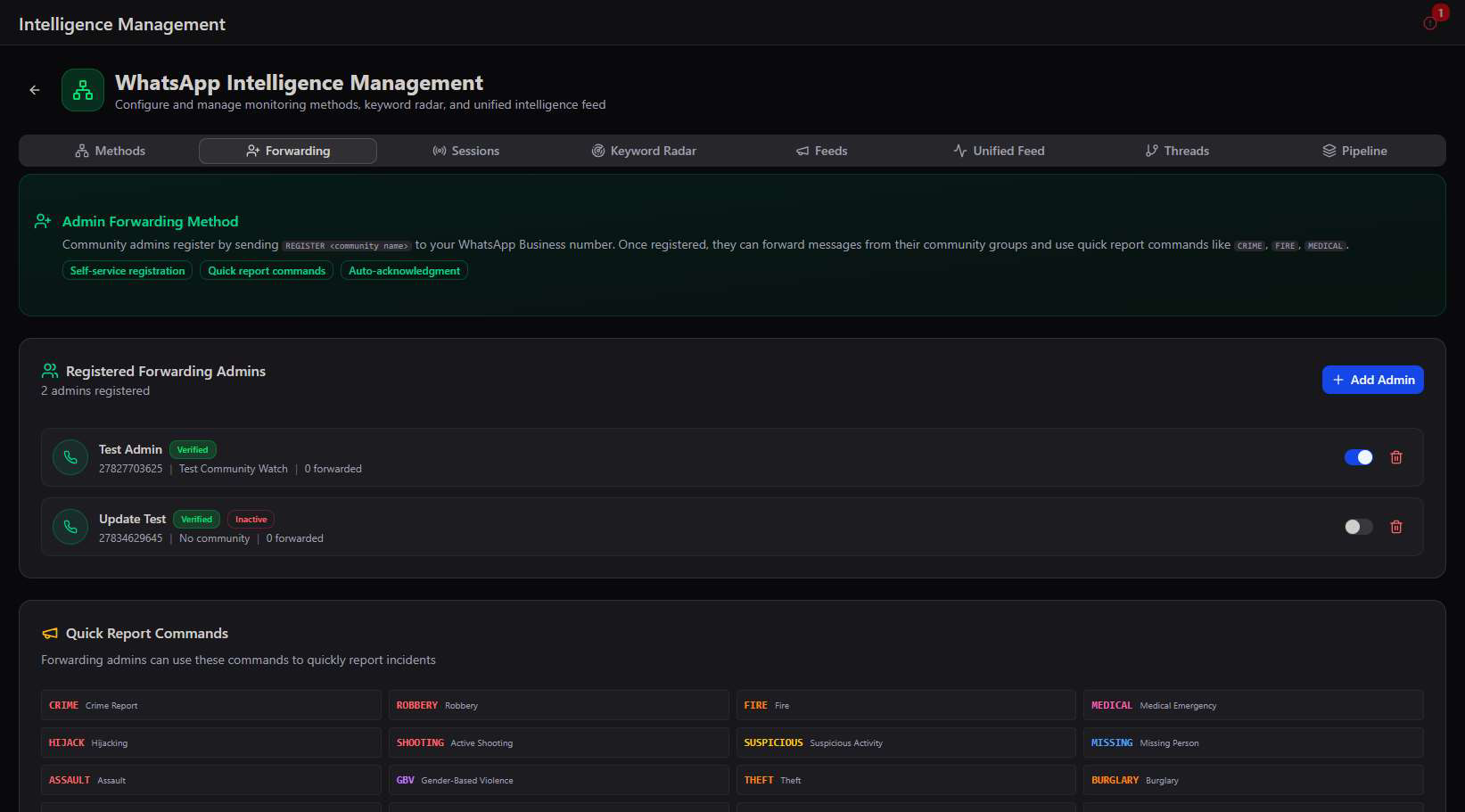
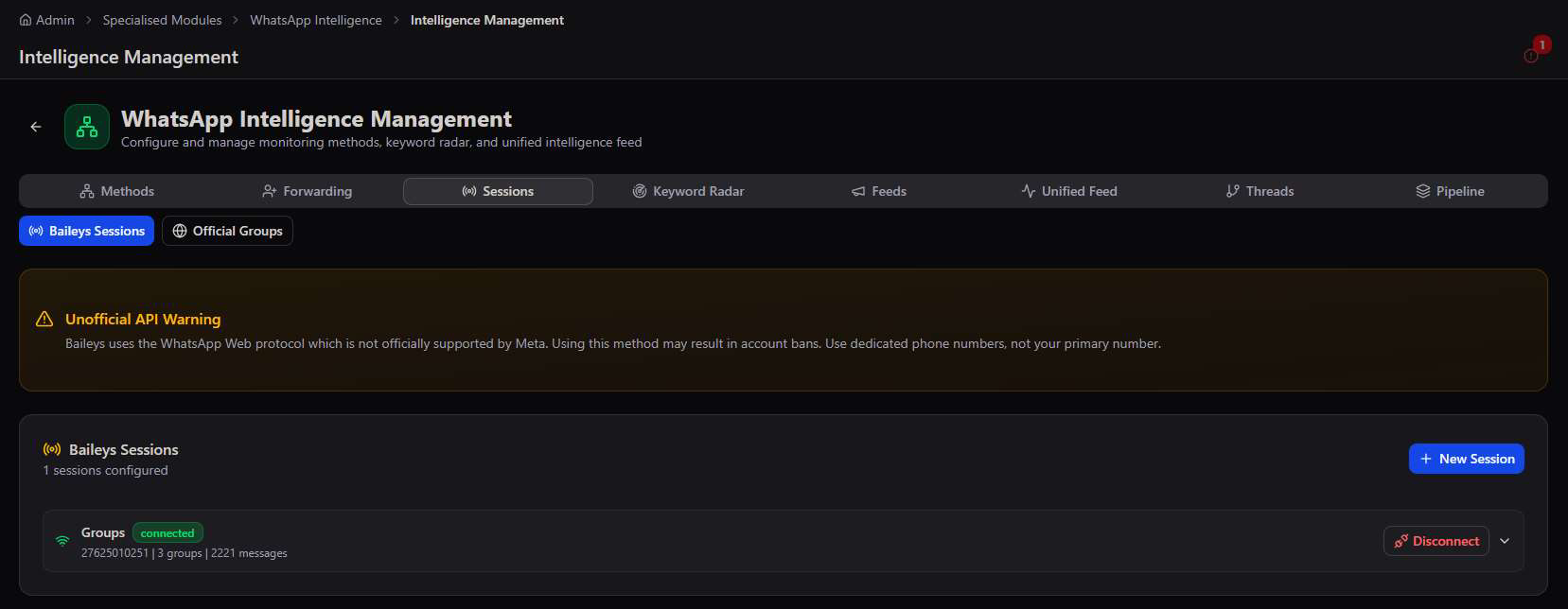
Forwarding manages the Admin Forwarding method specifically — registered forwarding admins, their linked communities, and the quick report commands (CRIME, FIRE, MEDICAL, HIJACK, and more) they can text to log an incident instantly. Sessions manages the live connection status for both Baileys and Official Groups.
Keyword Radar — automatic detection across every method
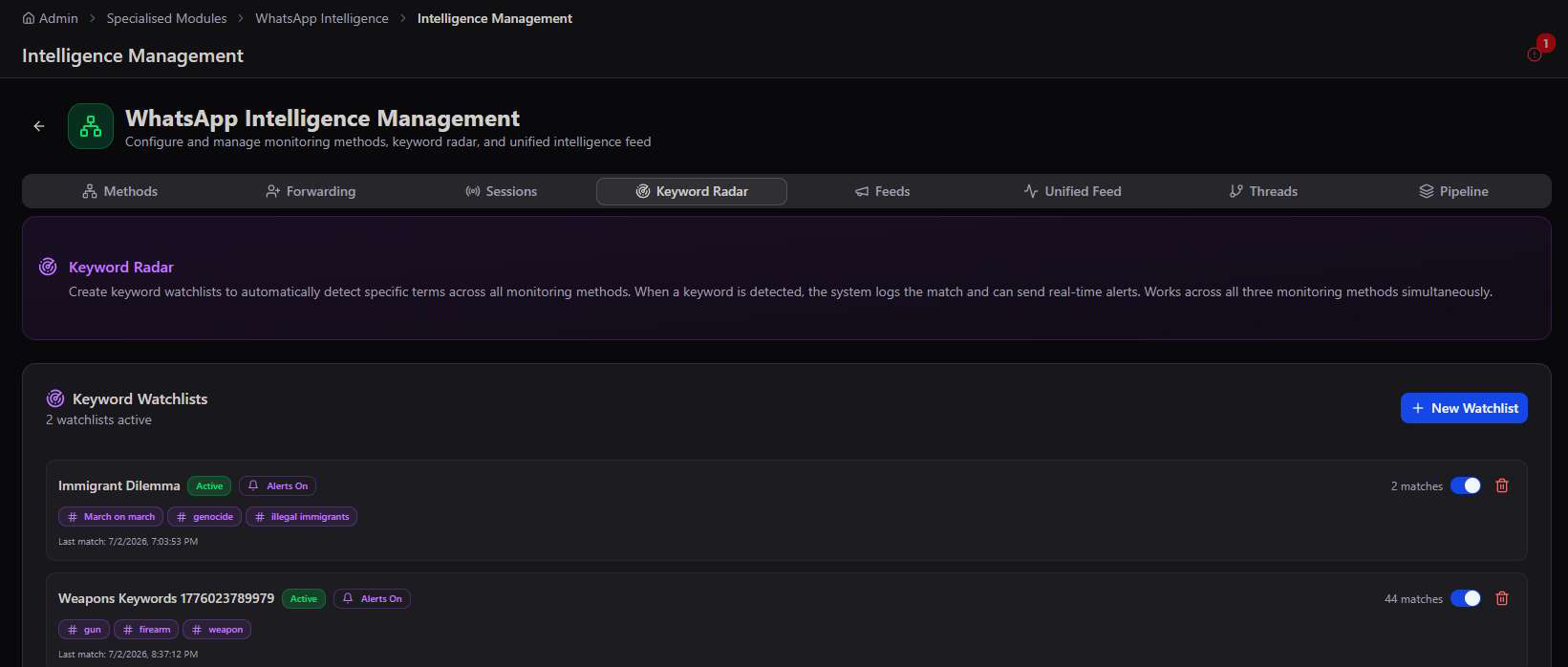
Keyword Radar creates watchlists of specific terms — flagged automatically the instant they appear in any monitored message, across all three monitoring methods simultaneously, with real-time alerts.
Feeds & Unified Feed
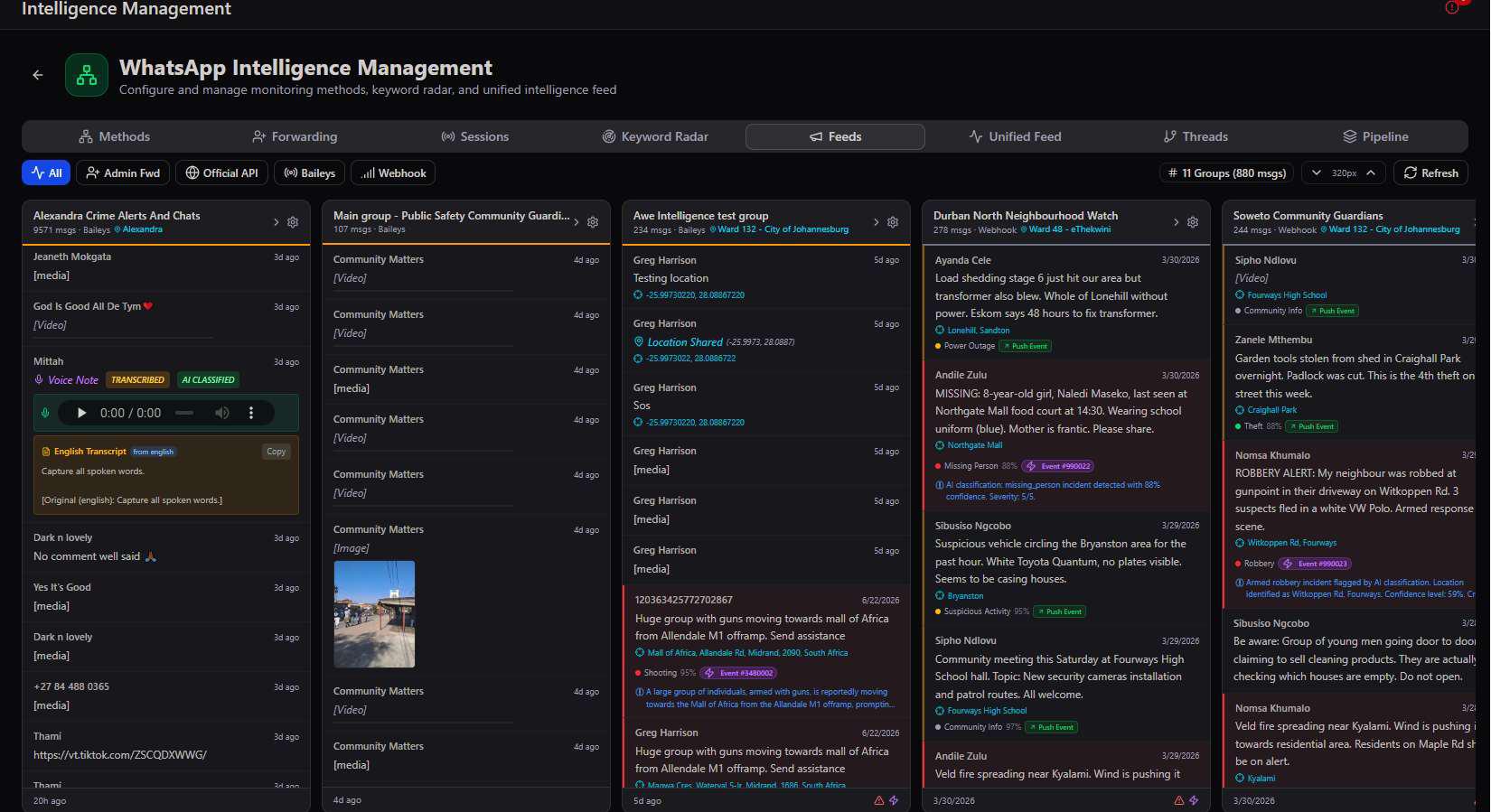
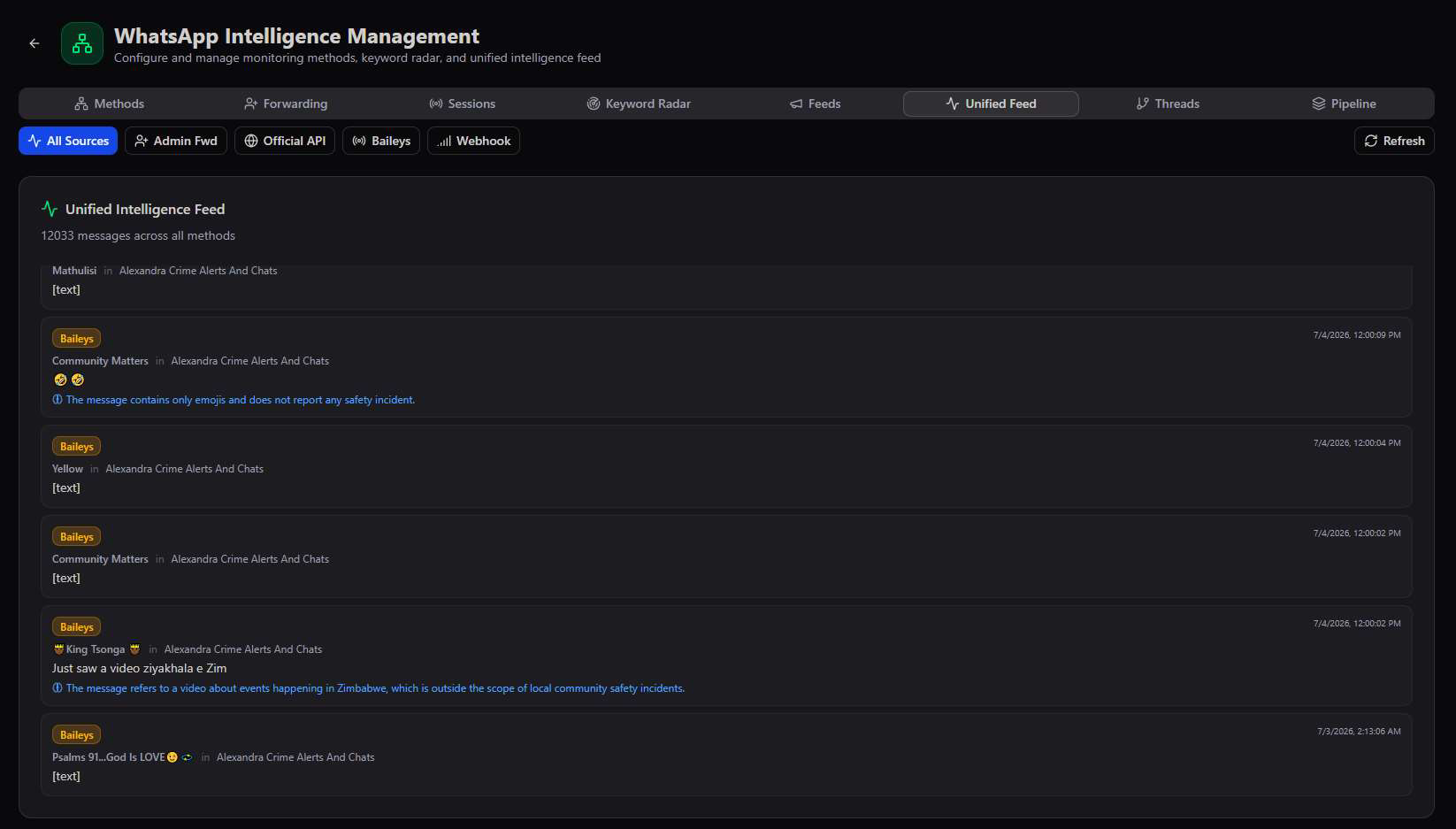
Feeds shows every monitored group side-by-side in a live column view, filterable by source method. Unified Feed flattens all 12,000+ messages across every method into one chronological stream, with the AI's classification reasoning shown inline for messages ruled not to be incidents.
Threads & Pipeline
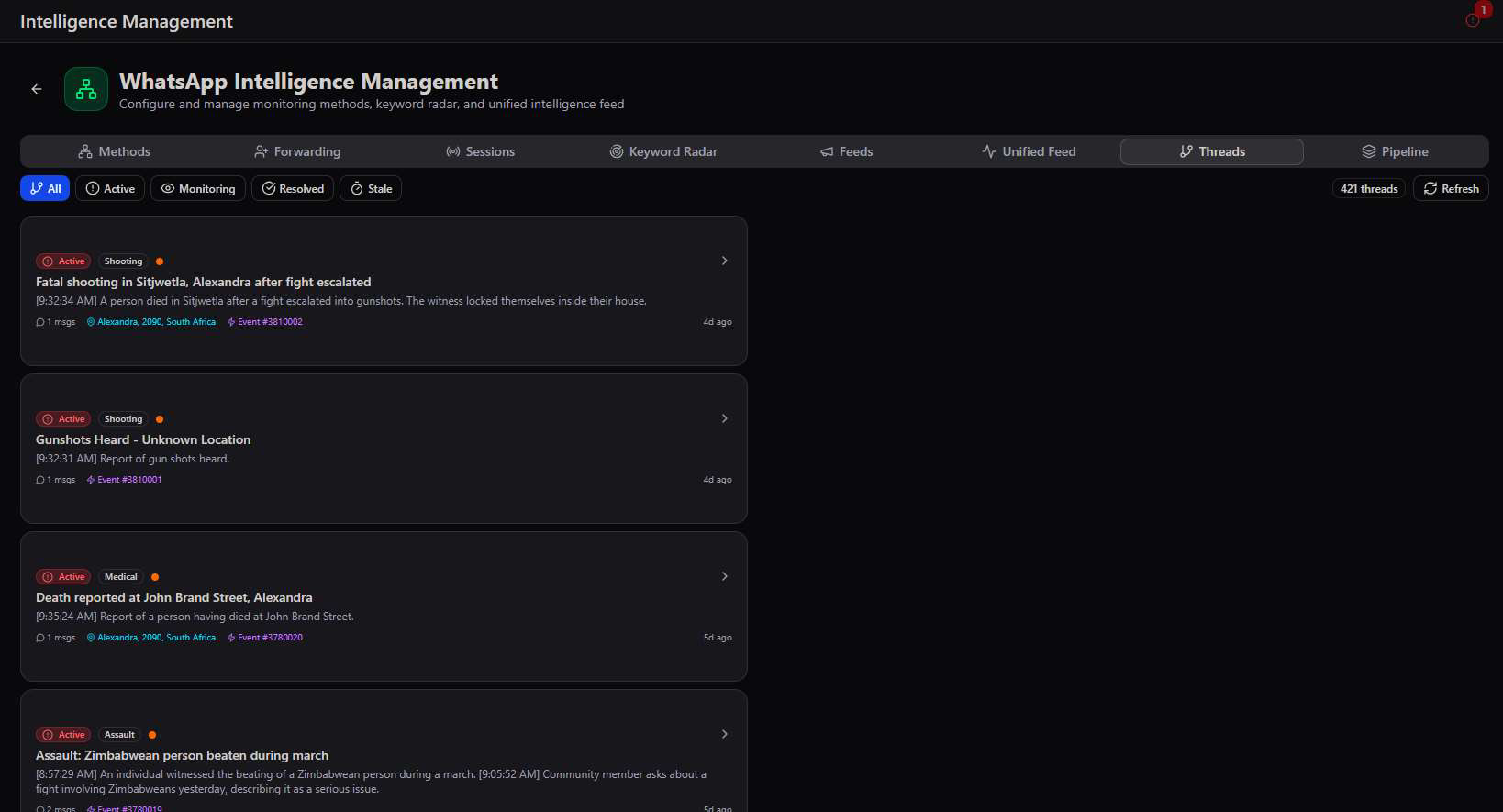
Threads groups related messages into a single incident narrative — a shooting report and the follow-up messages about it become one thread rather than scattered entries — filterable by Active, Monitoring, Resolved, or Stale. Pipeline is where the AI's event-creation behaviour is tuned directly.
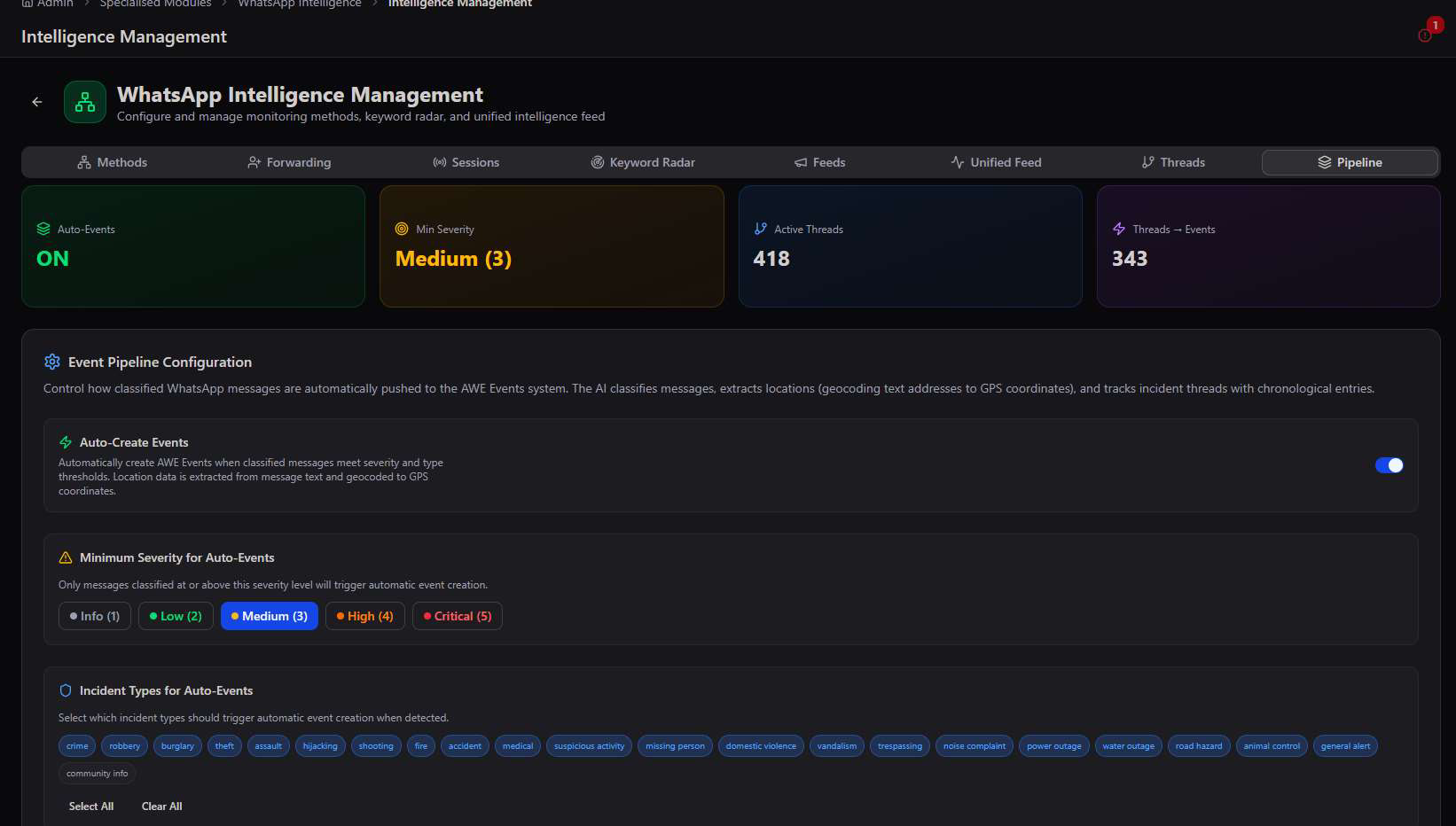
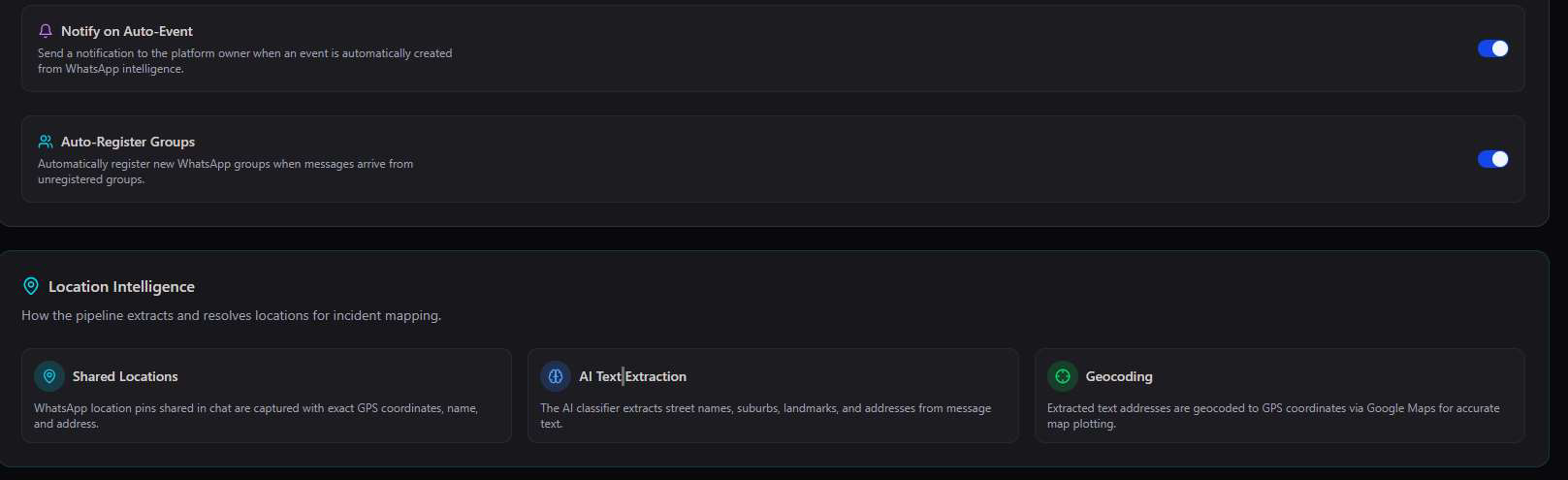
Tune the threshold to the community. Setting Minimum Severity to Medium means only genuinely actionable incidents auto-create events — a chattier, lower-risk community can raise this threshold to Critical, while a high-crime area might lower it to Low for maximum coverage.
Coming Soon
Three more specialised modules already on the roadmap.
Specialised Modules is an actively growing library. Three additional modules are already visible in the platform, flagged Coming Soon, previewing where the module set is headed next.
Have a module in mind? If a specialised capability your organisation needs isn't on this list or in the standard module catalogue, chat to our Dev Team — new modules are added to this library as they're built.